EN
ENCost Management in Construction with Autodesk Build
Efficient cost management is crucial to ensuring profitability in construction projects. Autodesk Build’s Cost Management module centralizes budgets, contracts, and billing in a single platform, replacing scattered processes like spreadsheets and emails. With real-time financial visibility, teams can monitor deviations instantly, automate workflows, and generate detailed reports that support accurate decision-making. This solution not only reduces errors but also enhances collaboration among contractors, project managers, and administrators. By integrating with other Autodesk Build tools, Cost Management fosters connected construction, helping companies save time, optimize resources, and ensure projects are delivered on budget and schedule.
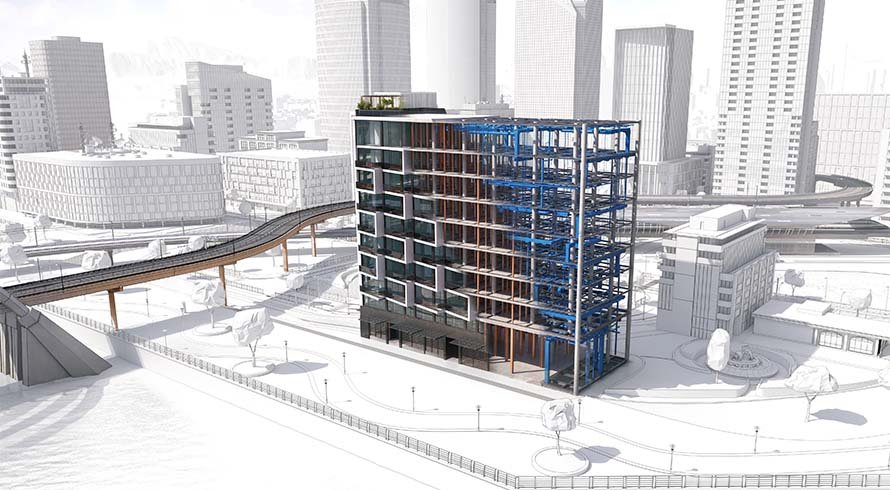
In the construction sector, efficiently controlling costs is key to profitability. Financial disorder can lead to cost overruns, delays, or even project failure. Autodesk Build, part of the Autodesk Construction Cloud, offers a comprehensive solution through its specialized module: Cost Management.
In this article, we explain how this module transforms financial management in construction projects by promoting transparency, real-time control, and better decision-making.
What is Autodesk Build’s Cost Management Module?
The Cost Management module enables you to manage budgets, contracts, purchase orders, change orders, and billing all in one place. It replaces scattered processes such as spreadsheets or emails by centralizing all project financial data.
This approach reduces errors, improves team coordination, and supports real-time, data-driven decisions.
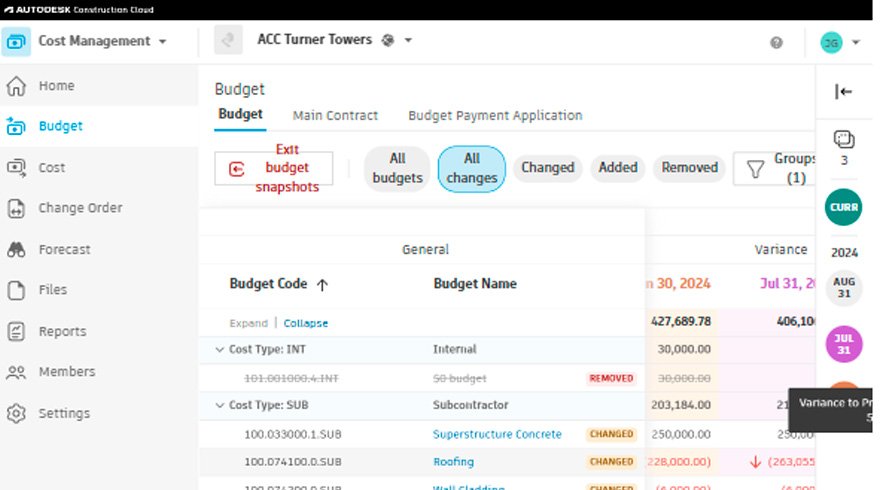
Key Features of Cost Management
- Centralized, Detailed Budgeting
Create, update, and break down budgets by phases or activities, maintaining a structured and detailed financial overview. - Contract and Billing Management
Manage contracts, purchase orders, and invoices, linking them directly to the project budget. This ensures consistency between agreements and execution. - Real-Time Cost Tracking
Instantly view committed, pending, and executed costs with alerts to identify budget deviations. - Efficient Change Control
Record and approve change requests, automatically adjusting budgets and cash flow according to updated project scope. - Custom Reports
Generate clear, detailed financial reports that simplify trend analysis, risk identification, and stakeholder communication.

Benefits of Using Autodesk Build for Cost Management
Real-Time Financial Visibility
Make informed decisions with up-to-date data accessible anytime.
Fewer Errors, More Accuracy
By automating and centralizing processes, duplications and manual entry mistakes are eliminated.
Improved Team Collaboration
All stakeholders—contractors, project managers, administrators—work with the same information, enhancing communication and agility.
Time and Resource Savings
Automation reduces administrative workload, allowing focus on strategic project control.
Audit-Ready
All information is stored in a structured, traceable way, making audits and regulatory compliance easier.
How to Implement Cost Management in Your Projects
- Upload Initial Data: Ensure budgets, contracts, and pricing are well-organized from the start.
- Set Up Workflows: Define permissions, approval processes, and alerts based on project needs.
- Monitor Continuously: Review financial reports in real time and adjust budgets when necessary.
- Train Your Team: Make sure everyone knows how to use the module to maximize effectiveness.
Cost Management: Part of Connected Construction
This module integrates with other Autodesk Build tools, such as Document Management and Project Management, creating a centralized digital environment. This interoperability accelerates digital transformation in the construction sector.
Conclusion
Autodesk Build’s Cost Management is the ideal tool for managing construction project costs in a modern and efficient way. It provides complete visibility, reduces errors, improves collaboration, and helps deliver projects within budget and on schedule.
If you’re still relying on manual methods to control costs, it’s time to update your strategy. Autodesk Build enables you to digitize your financial processes and take your project management to the next level.
Want to implement this solution in your company?
Contact us to learn how Autodesk Build can transform your project management. We’re ready to help you optimize processes and achieve better results.